GPT 6 frontend QA: turn a brief into evidence
Use a model to draft a test matrix, then use the real browser and target viewports to establish what actually works.
GPT 6 frontend QA: reproduce, fix and repeat the same path
This GPT 6 frontend QA example uses real browser actions to check a prompt library, then demonstrates one repair in an explicitly labeled local training fixture. GPT-6 Astra at medium reasoning effort in Codex ran the exercise on September 7, 2026. The screenshots, before/after files and recorded observations are separate from a proposed checklist.
The initial focused check of the current local prompt library passed. Searching for “meeting” reduced 15 templates to one; a no-result query showed zero; clearing restored 15. The coding category showed three templates. That observation did not reveal the Clear search defect needed for the repair demonstration, so the experiment did not portray a production defect that had not been found.
The deliberate training-fixture failure
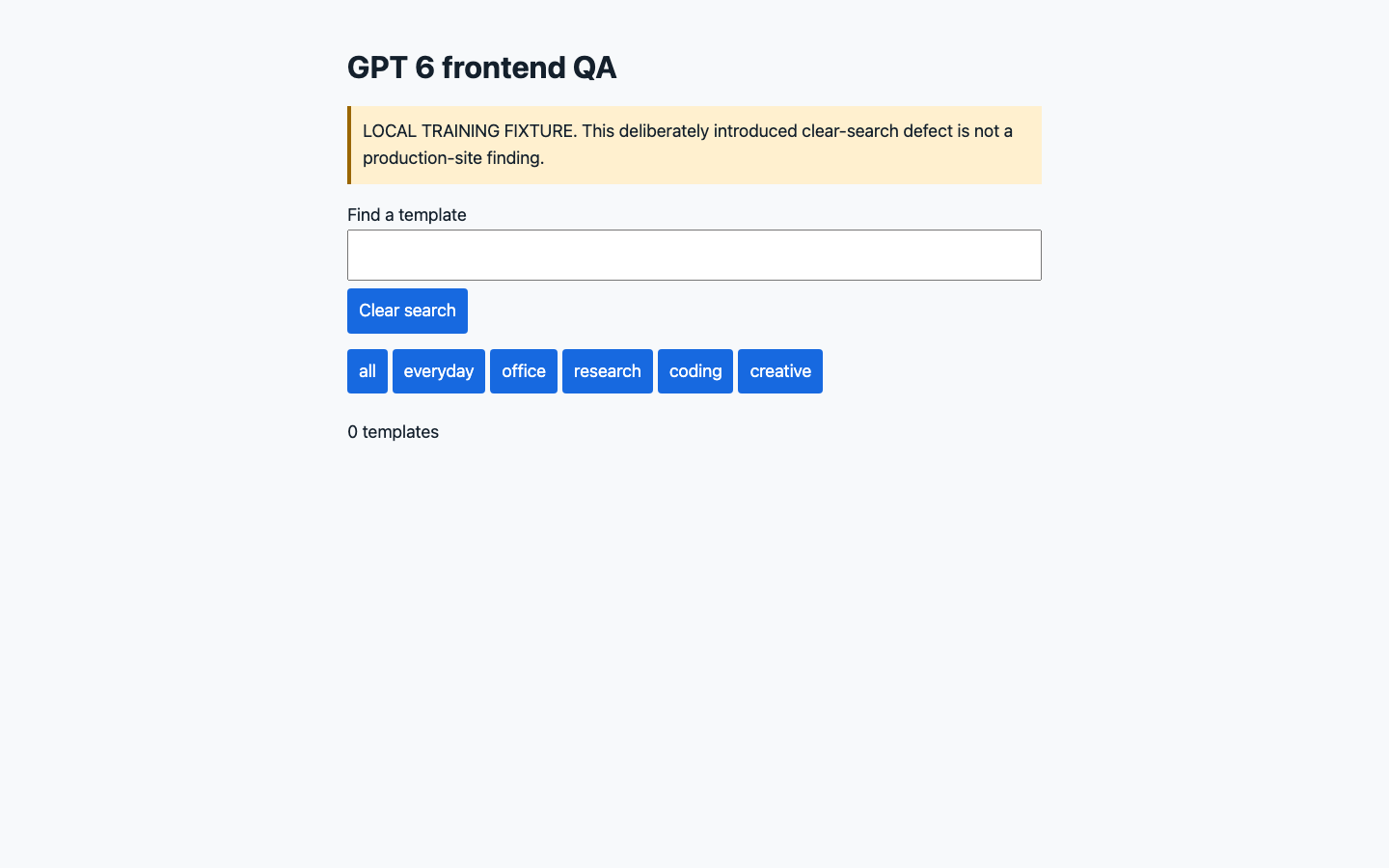
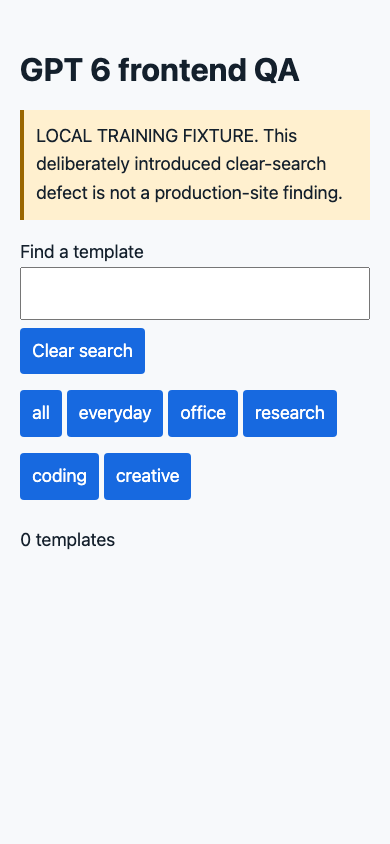
The separate fixture has one intentionally broken handler: pressing Clear search empties the input without updating the filtered cards. Its before source and hash were frozen before the failure run. After a no-result search, the input becomes empty but zero cards remain visible.
That difference is observable behavior. A screenshot of the empty field alone cannot tell you whether filtering recovered. The before record checks both the input value and the number of visible cards at desktop 1440 × 900 and mobile 390 × 844.
The minimal correction and observed result
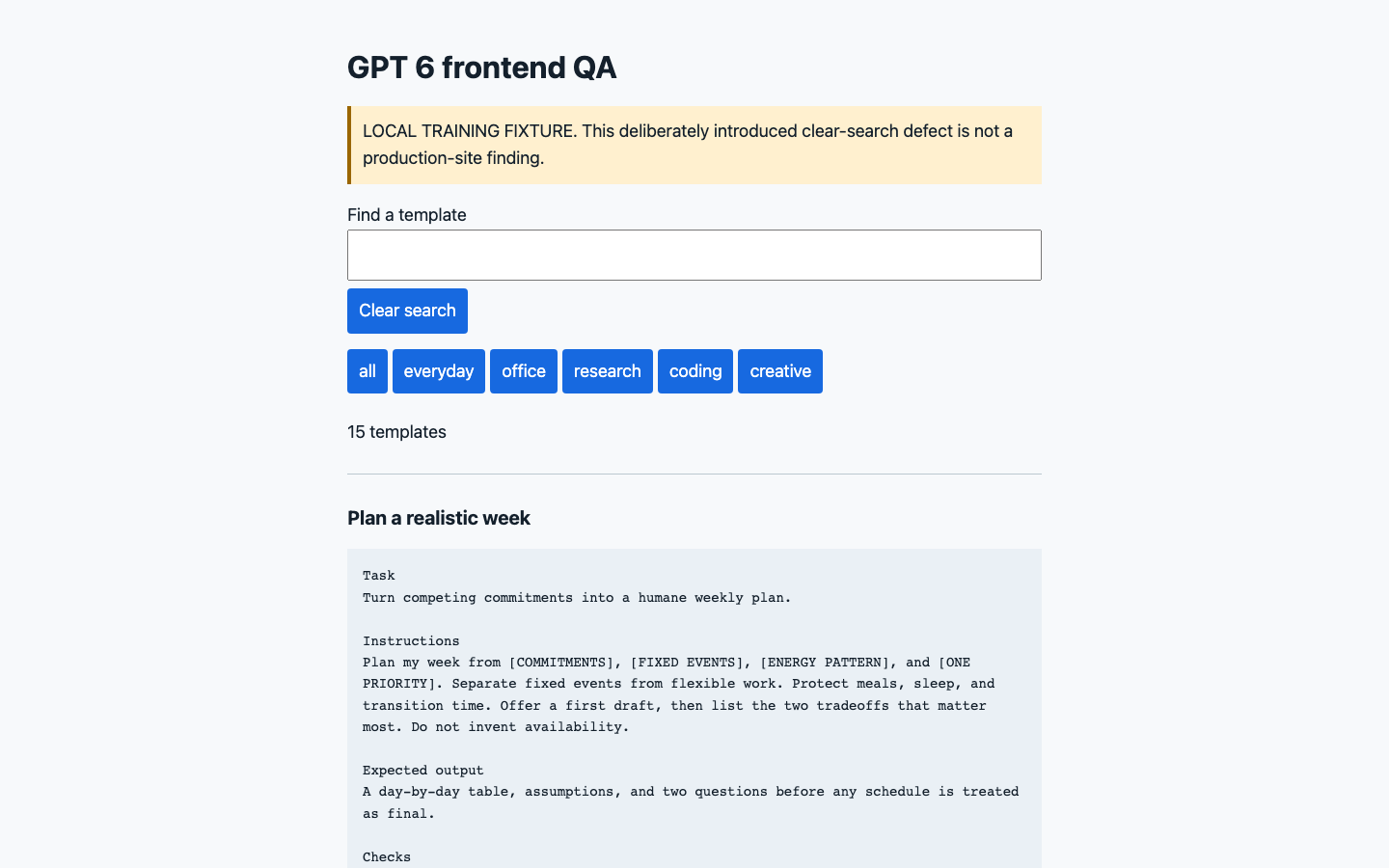
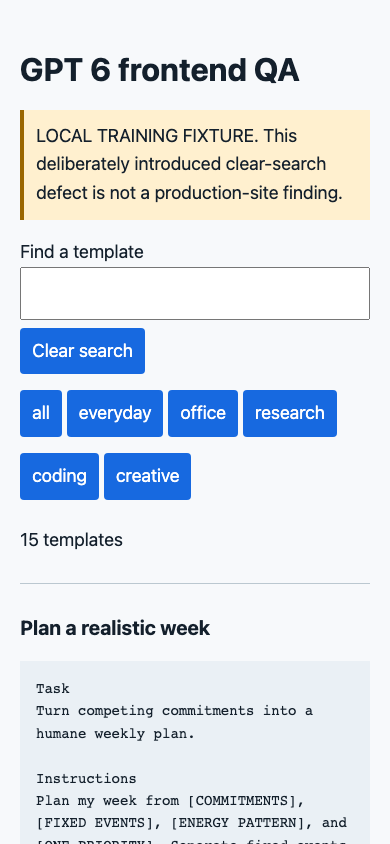
The patch adds one update() call after clearing the input. Repeating the same path restores all 15 cards at both viewports. Search still finds the one meeting template, and the coding category still displays three. The attached diff lets a reader connect the behavior change to the small correction.
The Chromium run also checks visible keyboard focus, keyboard activation of Copy, the real system clipboard, and horizontal overflow. The copied template matches the frozen template and displayed text, including all 12 newlines. Both tested widths show a visible three-pixel focus outline and no observed horizontal overflow.
Keep those findings narrow: clipboard permission, browser configuration and viewport are part of the test environment. A matching clipboard value here is not proof that every browser or permission state behaves identically.
How to reuse the method
Choose a journey with a visible recovery step: search and clear, submit and retry, or open and close. Record the expected state before running it. If it fails, preserve the failing source and reproduction before making the smallest relevant fix. Then rerun the original sequence as well as the nearby behavior the change could affect.
A failed assertion should describe the user-visible mismatch, not just an internal variable. In this exercise the important mismatch is “empty query, no cards,” and the repair is demonstrated by the return of the full collection.
OpenAI’s Astra overview supplies official frontend-work context; it did not test this local fixture. This focused Chromium pass is not a complete production audit, cross-browser check or screen-reader assessment. Try the prompt library for the actual user task, use game prototyping for a stateful interaction example, or return to the examples comparison to choose a different artifact.
For a reusable inspection workflow, use the Frontend release check skill.
Reproduce and fix a local search-clear defect
Original input
Task
Perform frontend QA for the prompt library: search, empty state, clear search, category filter, keyboard and copy. Read the real clipboard and compare full text and newlines. Test desktop 1440×900 and mobile 390×844.

Instructions
Use the current local site if a real defect is found. If it has no suitable defect, create a clearly labeled local training page with a clear-search defect: clearing empties the input but does not restore hidden cards. Never call the training defect a production defect. Freeze the failing fixture and a reproduction before fixing it.

Output
Actual failure, reproduction steps, before screenshot, minimal fix diff, same-condition retest and after screenshot; plus keyboard/focus/clipboard results. Retain first output and revision.

Checks
Search for meeting, try a no-result query, clear, choose coding, use keyboard to reach controls and copy one full prompt. No mock clipboard for acceptance. Keep screenshots and text evidence free of personal data. Do not modify production or the shared prompt component; a separate training fixture is the owned target.What the checks found
- The real local library passed the focused search-clear check at both sizes. The demonstrated failure was deliberately isolated in a labeled local training page.
- Before the fix, clearing the empty search left 0 of 15 cards visible. One update() call restores 15 of 15 on both desktop and mobile.
- The same script used keyboard navigation and read the actual clipboard, matching the full template and its 12 newlines.
Revisions after the first output
- A one-line update() call was added after clearing the input. Before/after source and the failed first checks are retained.
- This is Chromium viewport testing, not a physical phone test.
Original output
First inspection — GPT 6 frontend QA
The current local prompt library passed this focused check at 1440 × 900 and 390 × 844. In each viewport, 15 templates became 1 after searching for meeting, 0 after a no-result query, and 15 after clearing the search input. The coding category showed 3 templates. Keyboard focus was visible, and a keyboard-activated copy produced the full displayed template in the real system clipboard, including all 12 newlines. No horizontal overflow was observed.
These checks did not reveal a suitable clear-search defect in the current library. They are a focused local observation, not a full production audit or a claim that every interaction is defect-free.
Following the frozen input, the next step uses a separate, explicitly labeled local training fixture. Its Clear search handler empties the input without invoking the filter update. The expected failure is that zero cards remain visible after clearing a no-result query. The before source, SHA-256 and reproduction were frozen before its browser run and before any fix.
The intended correction is one added update() call in that handler. The same script, browser engine, viewport sizes, queries, keyboard actions and real clipboard checks will be used before and after. No shared prompt component or production code is changed by this experiment.