GPT 6 document formatting with preservation checks
Treat formatting as a constrained transformation and inspect both the visual result and the underlying document structure.
GPT 6 document formatting: preserve the content, check the export
This GPT 6 document formatting example applies a fixed style guide to a synthetic Paper Lantern workshop brief. GPT-6 Astra at medium reasoning effort in Codex produced an editable DOCX and a PDF on September 7, 2026. The source, first output, finished files, inventories and page renders are available with the experiment below.
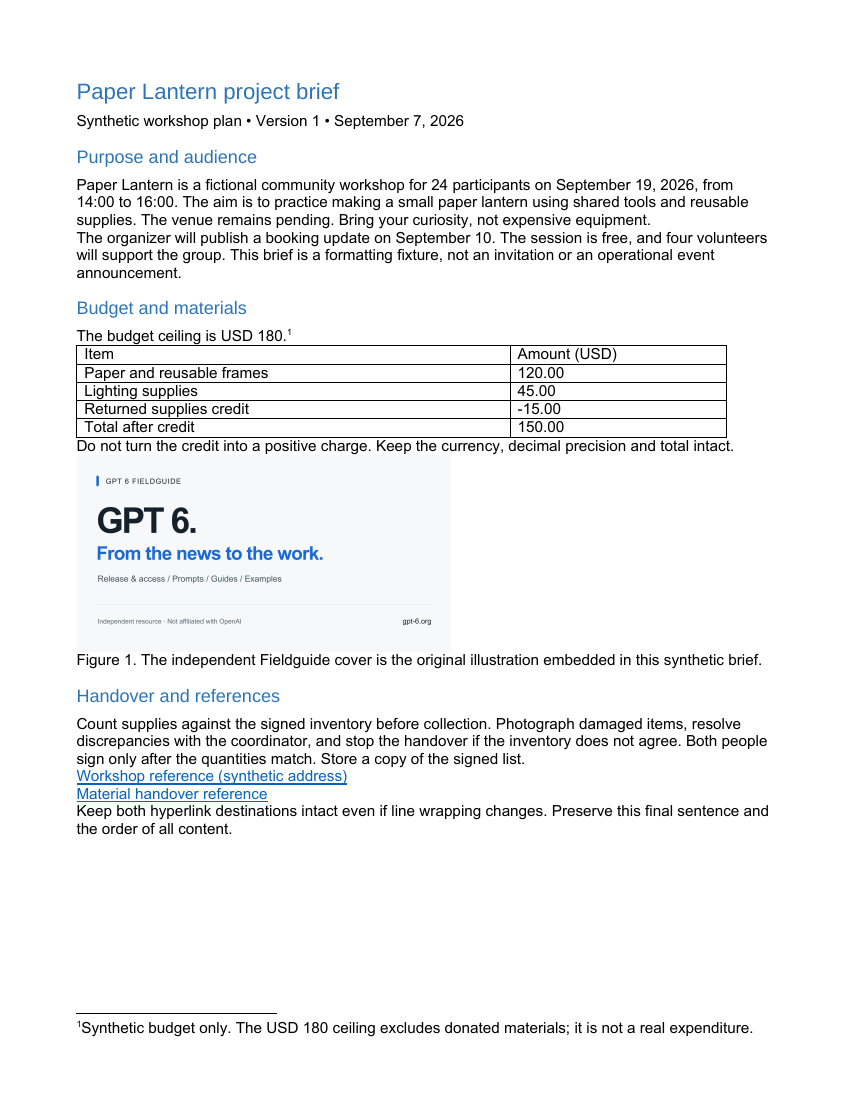
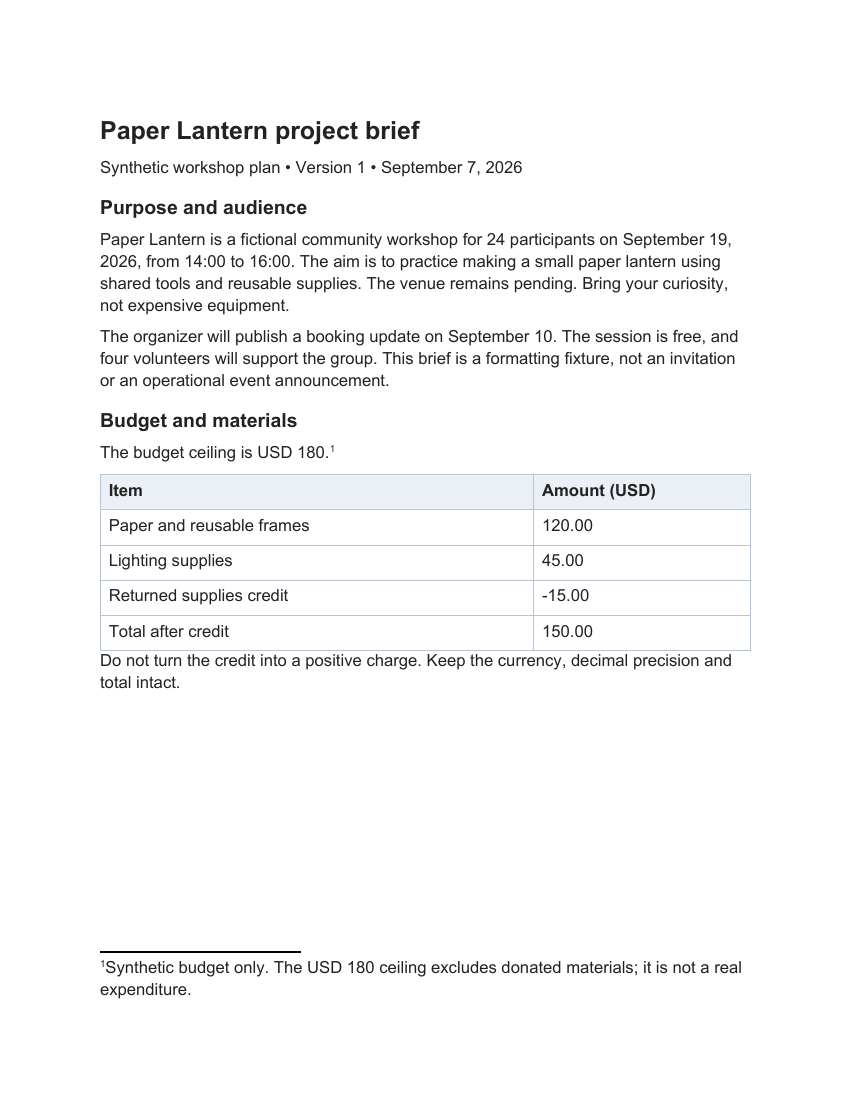
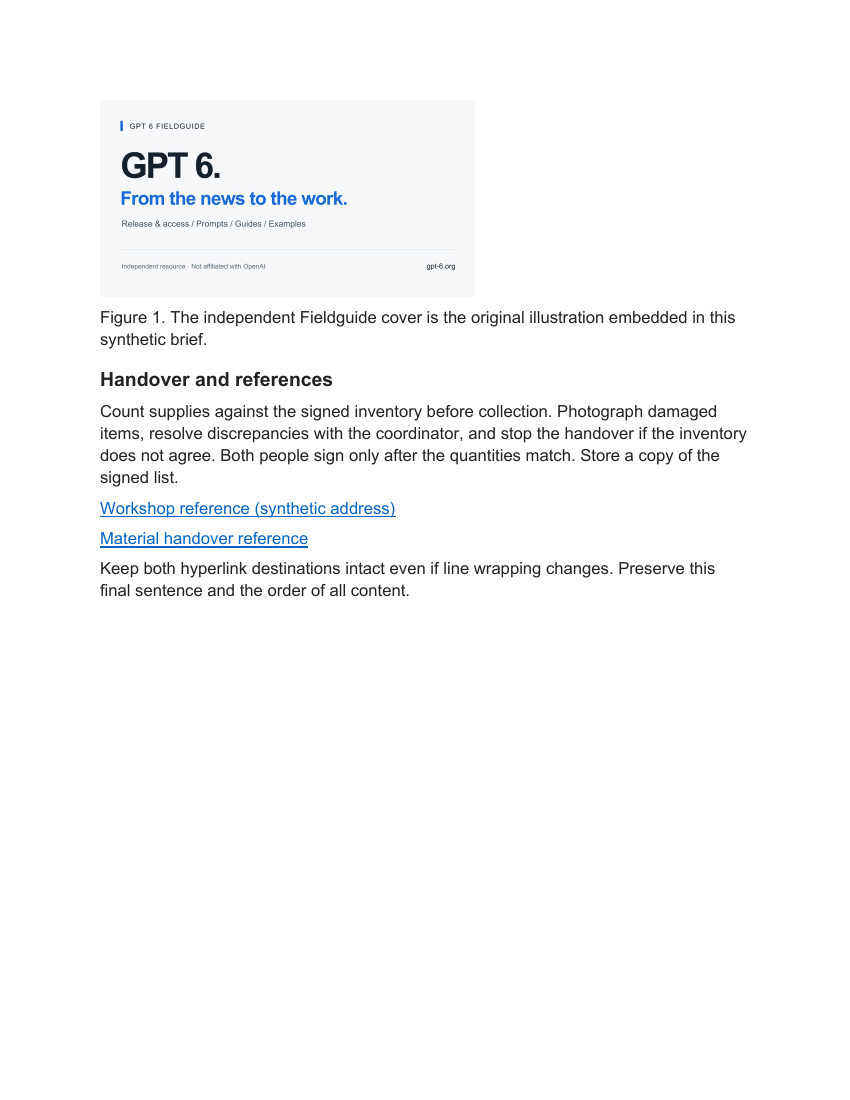
The brief contains four headings, a five-row table, two external hyperlinks, one footnote, and an embedded illustration with a caption and description. Its budget includes a negative credit of -15.00. The instruction permits appearance changes but forbids rewriting, reordering, removing objects or changing numbers. The source remains unchanged.
The style contract and actual artifact
The required layout is US Letter portrait with exactly one-inch margins. Body text is Arial 12 point; Heading 1 is 18 point and Heading 2 is 14 point. The output uses real heading levels, dark body text, blue hyperlinks and consistent spacing. Table width stays within the 6.5-inch content area, with padding and a shaded header.
The result occupies two pages rather than the source’s one. Larger text, margins and spacing account for the reflow. The illustration stays with its caption on page two; the table and footnote remain on page one. Page count is allowed to change because content preservation, not matching pagination, is the contract.
What the first export got wrong
The first DOCX already specified Arial, but LibreOffice exported it using Liberation Sans. Inspecting the PDF’s font resources exposed the substitution. A task-local font configuration made the existing macOS Arial fonts available to the exporter. The final PDF contains ArialMT and Arial-BoldMT.
The first DOCX and final DOCX are byte-identical: the correction changed the export environment, not the prose or formatting instructions. Both PDFs remain available so the correction is visible. This case used LibreOffice; it does not claim a Microsoft Word compatibility test.
Preservation checks and remaining limits
The comparison checks ordered paragraph text, heading assignments, every table cell, link targets, footnote XML, image description and the PNG’s SHA-256. They match. Both PDF link annotations retain their original destinations, and every nonempty body paragraph appears in extracted PDF text after whitespace normalization. All exported pages were rendered and visually inspected without observed clipping, overlap or orphaned headings.
An initial inventory check incorrectly counted an empty ZIP directory as an image; its failed record is retained beside the corrected file-only comparison. The full schema validator could not start because its Python environment lacked defusedxml. Successful import, export and object checks do not replace that unavailable validation or an assistive-technology reading-order test.
OpenAI’s Astra overview provides official document-work context; these files are this site’s separate exercise. If the versions also change meaning, use document reconciliation before applying a style. The examples comparison helps choose another task, and the practical guide explains the shared input-and-review record.
For complementary content consistency checks, use the Document consistency check skill. It does not replace the formatting and export checks in this exercise.
Format a synthetic project brief
Original input
Task
Format the attached synthetic source.docx and export a finished DOCX and PDF.

Input
[DOCUMENT: source.docx]

Style guide
US Letter portrait, exactly 1-inch margins. Arial 12-point body, Heading 1 at 18 points, Heading 2 at 14 points; real heading levels. Dark body text, blue hyperlinks. Consistent paragraph spacing and readable table styles. Keep table within the page.

Preservation requirements
Preserve all wording, numbers, negative signs, dates, paragraph order, all four headings, the table and its cells, two hyperlink targets, the footnote, image bytes, caption and image description. Do not rewrite the content. Keep original source unchanged.

Output
Finished DOCX, PDF, change ledger, structural inventory before/after, and every exported PDF page as an image. Retain your first produced DOCX separately before any corrections.

Checks
Compare wording and objects before/after; inspect all PDF pages for clipping, overlap and orphaned headings. State any concrete export or preservation issue; do not claim a Microsoft Word test if only LibreOffice was used.What the checks found
- Independent OOXML comparison preserves all paragraph text, table cells, all four headings and their hierarchy, both links, footnote XML and image bytes.
- Margins are one inch; Heading 1 is 18 pt and Heading 2 is 14 pt. The final export uses Arial and two pages.
Revisions after the first output
- The first PDF used Liberation Sans. Export font configuration was corrected; first and final DOCX files are identical.
- The source and every original PDF page render remain available; only LibreOffice was used.
Original output
Formatted the supplied synthetic brief with US Letter portrait pages, 1-inch margins, Arial 12-point body text, semantic 18-point Heading 1 and 14-point Heading 2 styles, consistent paragraph spacing, blue links, and a padded table. The first produced DOCX is retained as first-output.docx. Preservation comparison and LibreOffice PDF visual checks are pending; no Microsoft Word test has been performed.
Files from this run
- first response.md
- gpt 6 document formatting before.pdf
- gpt 6 document formatting change ledger.md
- gpt 6 document formatting finished.docx
- gpt 6 document formatting finished.pdf
- gpt 6 document formatting first export font substitution.pdf
- gpt 6 document formatting first output.docx
- gpt 6 document formatting inventory after.json
- gpt 6 document formatting inventory before.json
- gpt 6 document formatting preservation checks.json
- gpt 6 document formatting prompt.txt
- gpt 6 document formatting source.docx
- independent review.json
- original input.txt